

A true 4K dash cam can make the difference between a useful clip and a blurry guess when an insurance claim or parking lot scrape needs proof. But the 4K label gets used loosely, and some dash cams only upscale lower-resolution footage or cut corners on frame rate and sensor quality. This guide breaks down what 4K UHD really means, how to spot fake 4K, and which 4K dash cams are worth considering for everyday driving, night coverage, rideshare use, and parked-car protection.
What Makes 4K Dash Cams Different?
4K UHD in dash cams usually means 3840×2160 resolution, which packs in far more detail than older 1080p models. Compared with 1440p, true 4K can preserve sharper edges, road signs, lane markings, and license plates at distance, especially when the camera is mounted high and aimed well. The jump is less dramatic from 1440p to 4K than from 1080p to 1440p, but it still helps when you need to crop footage or zoom in on a specific moment. That said, resolution alone does not guarantee usable video; sensor quality, lens design, and processing matter just as much, and 4K cannot fix bad night exposure or an overly wide field of view.
How to Tell If a Dash Cam Is Really 4K
True 4K starts with an 8MP sensor that can actually capture 3840×2160 footage natively, not a product page that simply says “4K” in large letters. The most common fake 4K tactics are upscaling, interpolation, and marketing that hides a lower sensor resolution behind a higher output file. Some dash cams also reduce frame rates or reserve true 4K only for certain modes, which can look good on paper but disappoint in motion. Before buying, check the sensor model, confirm native 4K recording, and make sure the camera records at 30 fps in 4K rather than dropping to 20 fps or relying on enhanced settings. A quick shopping checklist helps: native 3840×2160, 8MP sensor, 30 fps at 4K, real sample footage, and no vague claims about “ultra HD” without specs. If those details are missing, the safest assumption is fake 4K.
Key Specs That Affect Video Quality
Image sensor quality usually matters more than the headline resolution, because a strong sensor captures cleaner detail before the file is compressed. Frame rate affects how smooth moving traffic looks, while bitrate determines how much image data survives during fast motion, rain, or sudden braking. HDR can help balance bright sky and dark pavement, which often makes road details easier to read in mixed lighting. Field of view also matters: a very wide lens captures more lanes, but it can stretch the image and make license plates smaller or more distorted. In practice, the best video quality comes from the combination of a good sensor, solid bitrate, and sensible lens geometry, not from one oversized spec on the box.
Front, Rear, and Cabin Camera Options
Single-channel dash cams are the simplest route: one front camera, less wiring, less storage use. Dual-channel models add a rear camera, which is especially helpful for hit-and-runs, rear-end incidents, and parking bumps where the story happens behind the vehicle. Three-channel setups add a cabin camera, which makes sense for rideshare drivers, family vehicles, and fleets that need interior evidence. The tradeoff is predictable: more coverage means more installation work, more files to manage, and faster SD card wear. For many drivers, a front and rear dash cam is the sweet spot; cabin cameras are best when interior accountability is part of the job.
Best 4K Dash Cams Overall
For most buyers, the best overall 4K dash cams balance sharp daytime footage, dependable night vision, and easy everyday use rather than chasing the most aggressive spec sheet. The strongest value pick is usually a compact dual-channel model with true 4K front recording, built-in GPS, wi-fi and app control, and reliable loop recording; it suits commuters who want protection without a complicated setup. A premium pick makes sense for drivers who care about the best video quality, strong parking mode support, and more refined app features, even if the price climbs. For a best overall experience, the ideal camera is one that records clean plates in motion, survives heat, and does not fight the user over settings. In testing, the winners are rarely the flashiest; they are the models that stay stable, readable, and easy to trust after weeks of real life use.
Best 4K Dash Cams by Use Case
Commuters usually want a compact front-facing dash cam with strong video quality and simple app management, since daily convenience matters more than extra channels. Rideshare drivers benefit from a three-channel setup with a cabin camera, because interior activity and passenger disputes can matter as much as road incidents. Family vehicles often do well with dual-camera options that cover both front and rear without adding too much installation complexity. For parked-car security, the deciding factor is parking mode, not raw resolution, since motion-triggered events and buffered recording protect against hit-and-runs and vandalism. The best match depends on routine: compact for minimal fuss, cabin-focused for passenger visibility, and parking-mode-focused for long-term security.
4K Dash Cam Night Vision and Low-Light Performance
Night footage often becomes the deciding evidence in claims, because many accidents, curb hits, and parking incidents happen after dark. Strong HDR, larger sensors, and careful low-noise processing can all improve visibility when headlights, streetlights, and reflective signs are competing for attention. Even a true 4K dash cam can struggle to read license plates at night if glare washes out the frame or if the scene has deep shadows. That is why sample footage matters more than spec sheets here: real road video tells the truth about exposure, flare control, and whether motion stays legible at speed. For shoppers comparing 4k dash cams, nighttime clips should carry as much weight as daytime sharpness.
Parking Mode, Motion Detection, and Safety Coverage
Parking mode turns a dash cam into a standing guard against bumps, theft attempts, and hit-and-run damage while the car is off. Buffered parking mode can capture a few seconds before and after an event, which is more useful than a clip that starts too late. Motion-triggered recording saves storage but can miss subtle impacts, while time-lapse mode offers a continuous overview with lower file sizes. Most parking protection requires a hardwire kit or external power source, and power management matters so the car battery is not drained overnight. For many drivers, parking coverage is the feature that justifies paying more, because it extends protection far beyond commuting hours.
Storage, SD Card, and File Management Basics
4K video creates large files quickly, so storage planning matters more than many buyers expect. A high-endurance memory card is the safer choice for constant loop recording, and larger capacities help keep longer event history before clips are overwritten. It is smart to choose an SD card or micro sd memory card that the camera manufacturer officially supports, because compatibility problems can cause recording drops or corrupted files. Regular formatting also helps maintain reliability, especially in cameras that record continuously in heat or cold. The simplest rule is to buy enough storage for your use case and use a card built for dash cam duty, not a bargain card meant for casual phone photos.
Installation and Mounting Tips for 4K Dash Cams
Adhesive mounts usually feel more secure long term, while suction mounts can be easier to reposition during setup or rental use. Clean wire routing makes the install look factory-neat and reduces the chance of loose cables distracting the driver. Hidden cabling around the headliner and A-pillar also protects the camera from accidental pulls, and mirror placement should preserve a clear forward view. Heat resistance matters in U.S. summers, so mounting high on the windshield without blocking the driver’s line of sight is the safest approach. First-time buyers often do best with a simple plug-and-play layout rather than a complicated install that delays getting the camera into service.
Helpful Accessories That Improve Results
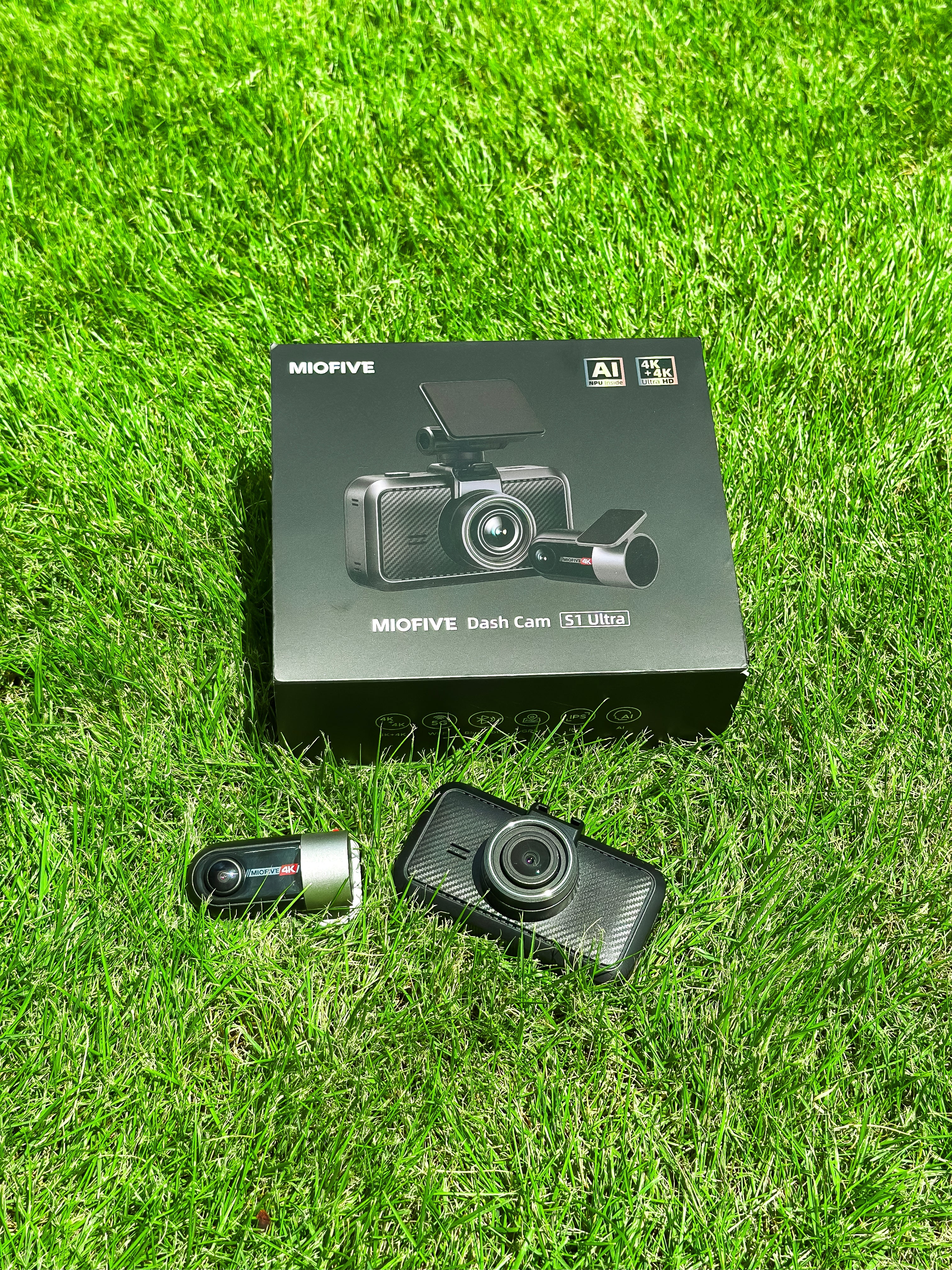
A cpl filter can be a worthwhile add-on for reducing windshield glare and dashboard reflections, especially in bright daytime driving. Hardwire kits are the usual upgrade for parking mode, while GPS modules add speed and location data to footage. Rear camera add-ons make sense when rear-end evidence matters, but they should solve a real coverage gap rather than inflate the purchase. The best accessories improve evidence quality or usability; they should not be bought just because they are available in a bundle. For shoppers considering a compact premium setup, the S1 Ultra dash cam can be a relevant example of the type of model that pairs advanced features with a cleaner install.
How We Evaluated the Best 4K Dash Cams
Strong rankings should come from clarity, usability, reliability, and real-world convenience rather than label claims. That means comparing daytime and night clips, checking how easy the unit is to install, and seeing whether the app makes footage management painless or annoying. License plate readability and motion handling are especially important, because a camera that looks sharp on a desk can still miss the details that matter on the road. Stability under heat, consistent loop recording, and dependable parking mode also affect final placement. The goal is to recommend dash cams that hold up in daily life, not just in polished product photos.
4K Dash Cam Buying Guide: What Matters Most
The buying process is easier when it starts with coverage needs, then video quality, then parking mode, and finally budget. Paying more makes sense when you need the best video quality, a rear camera, cabin camera support, or stronger night performance. Midrange models are often enough for standard commuting if they offer true 4K, stable app control, and reliable storage support. Matching the camera to the vehicle matters too: long daily drives, rideshare work, and parked-car security all point to different feature priorities. The best purchase is the one that fits the risk, not the one with the longest spec list.
Frequently Asked Questions About 4K Dash Cams
For everyday drivers, 4K is often worth it because the extra detail can improve evidence quality, especially for license plates and road signs. 4K dash cams do not always require special SD cards, but they do need high-endurance cards with enough capacity for larger files. Rear cameras can record in 4K on some systems, though many pair a 4K front camera with a lower-resolution rear unit to balance storage and cost. If shopping online, use the quick fake-4K checklist: native 3840×2160, 8MP sensor, 30 fps in 4K, and real sample footage. If those are missing, the label probably means less than it claims.
Who Should Buy a 4K Dash Cam?
Commuters, rideshare drivers, road trippers, and parked-car owners get the most value from true 4K because their evidence needs are higher. Drivers who only want basic collision coverage may find 1080p enough, especially if budget is tight and parking mode is not a priority. The decision usually comes down to risk level, storage willingness, and how much detail the footage needs to preserve after compression. If the goal is strong evidence and easier plate reads, 4K is the safer bet.
Final Verdict: Which 4K Dash Cam Is Best Overall?
The best overall choice is the true 4K dash cam that balances sharp front footage, dependable parking mode, and easy day-to-day use without a bloated price tag. For budget-conscious buyers, a value-focused dual-channel model usually delivers the most practical protection. Premium shoppers should look for stronger night performance and more polished app features, while rideshare users should prioritize cabin coverage. The next step is simple: verify true 4K specs, check parking support, and choose an SD card and mounting setup that fit the camera.
Quick Comparison Table and Top Picks Summary
| Pick | Best For | Channels | Standout Features | Tradeoff |
|---|---|---|---|---|
| Best Overall | Most drivers | Dual | True 4K, parking mode, GPS, app control | Usually costs more than entry models |
| Best Value | Budget-minded buyers | Single or dual | Solid 4K recording, easy install, included memory card on some kits | Fewer premium extras |
| Best Video Quality | Detail-focused drivers | Dual or triple | Sharper low-light footage, strong bitrate, better motion clarity | Higher price and more storage use |
For skimmers, the key differences are simple: channel count affects coverage, parking mode affects security, and night performance often decides real-world value. A top camera should also support enough storage, ideally up to 512GB where needed, so 4K files do not overwrite too quickly. Read the table as a shortlist, not a final verdict.
How to Avoid Overpaying for a Fake 4K Dash Cam
The biggest red flags are unrealistic pricing, vague specs, and missing sensor details. Cheap “4K” claims often hide upscaled footage, weak night vision, or low frame rates that undermine the whole point of buying resolution 4K. Before checkout, confirm fps, sensor size, and real test footage from the exact model, not a lookalike listing. If a brand refuses to name the sensor or only shows heavily edited sample clips, the risk is high. True 4K usually has a real cost floor, because good optics, strong processing, and reliable hardware are not bargain-bin parts.
Share:
Miofive S1 als „Testsieger“ bei den Auto Express Product Awards 2026 ausgezeichnet